Nutrition label templates,
blank and editable
Download a blank Nutrition Facts table, nutrition declaration or NIP as PDF, SVG or PNG, or open the same template in the maker and fill it in with automatic rounding.
Blank templates as PDF, SVG or PNG, or fill one in online.
No account needed: PDF, SVG and PNG, free to use on your own products and your clients’.
-
United States
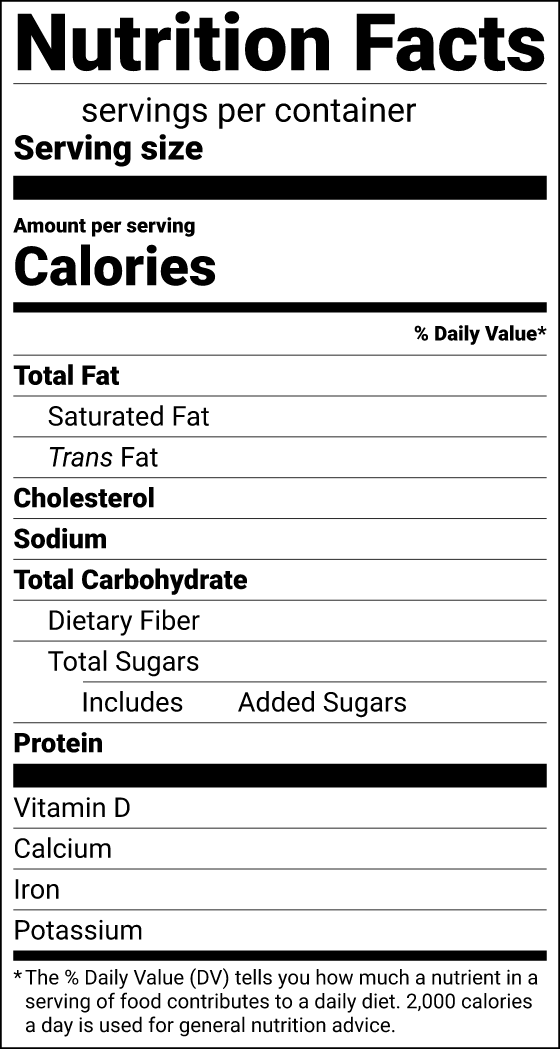
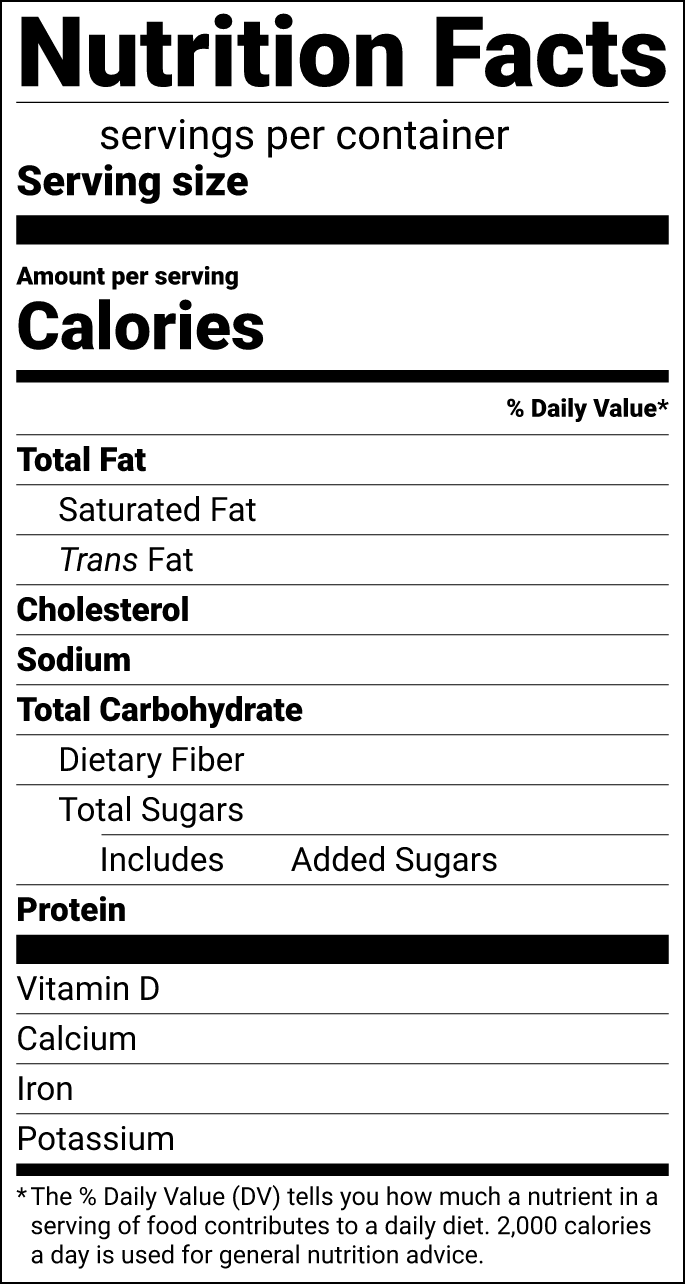
Nutrition Facts, standard vertical
58.0 × 108.8 mm 2.28 × 4.28 in
The standard FDA format. It fits most packages with about 3 in (76 mm) of height for the panel.
PDF of the blank Nutrition Facts, standard vertical template, 11 KB SVG of the blank Nutrition Facts, standard vertical template, 217 KB PNG of the blank Nutrition Facts, standard vertical template, 300 dpi, 95 KBFill it in online: open the Nutrition Facts, standard vertical format in the maker -
United States
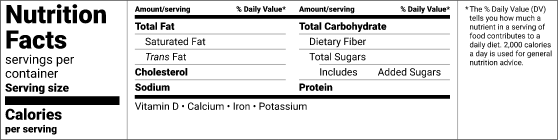
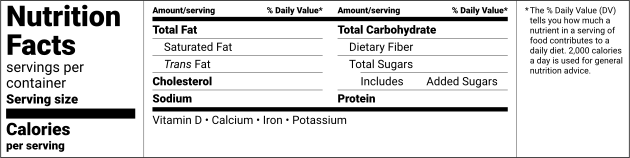
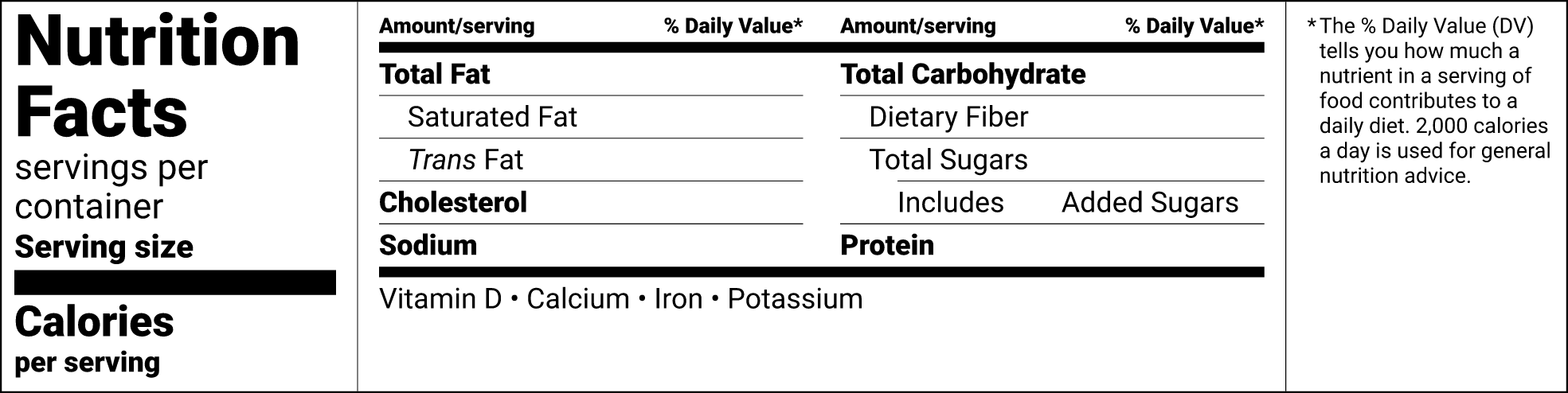
Nutrition Facts, tabular
166.7 × 41.9 mm 6.56 × 1.65 in
The horizontal format, only for packages that don’t have about 3 in (76 mm) of height for the panel.
PDF of the blank Nutrition Facts, tabular template, 12 KB SVG of the blank Nutrition Facts, tabular template, 231 KB PNG of the blank Nutrition Facts, tabular template, 300 dpi, 115 KBFill it in online: open the Nutrition Facts, tabular format in the maker -
United States
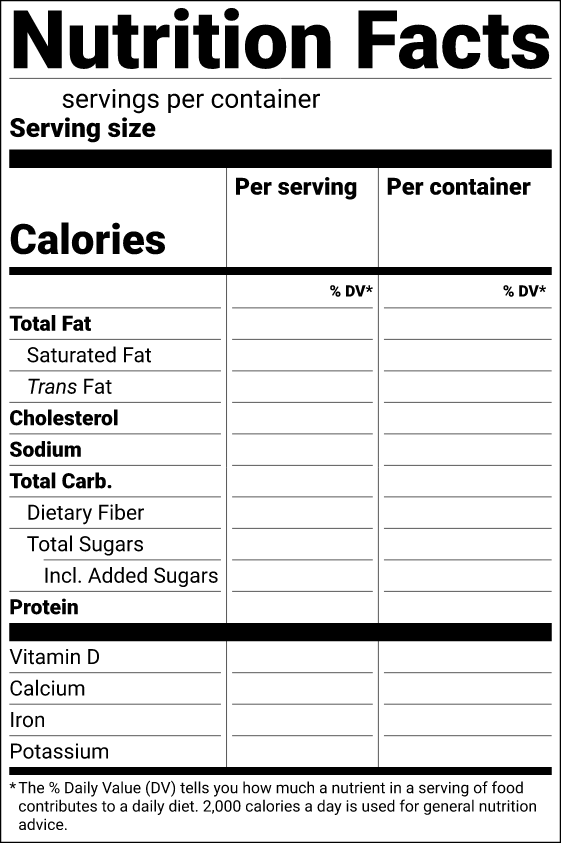
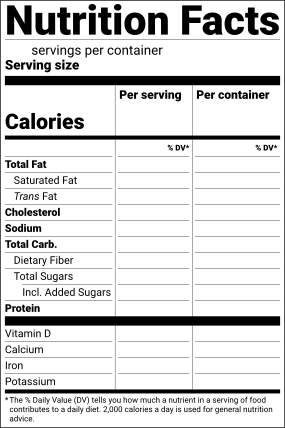
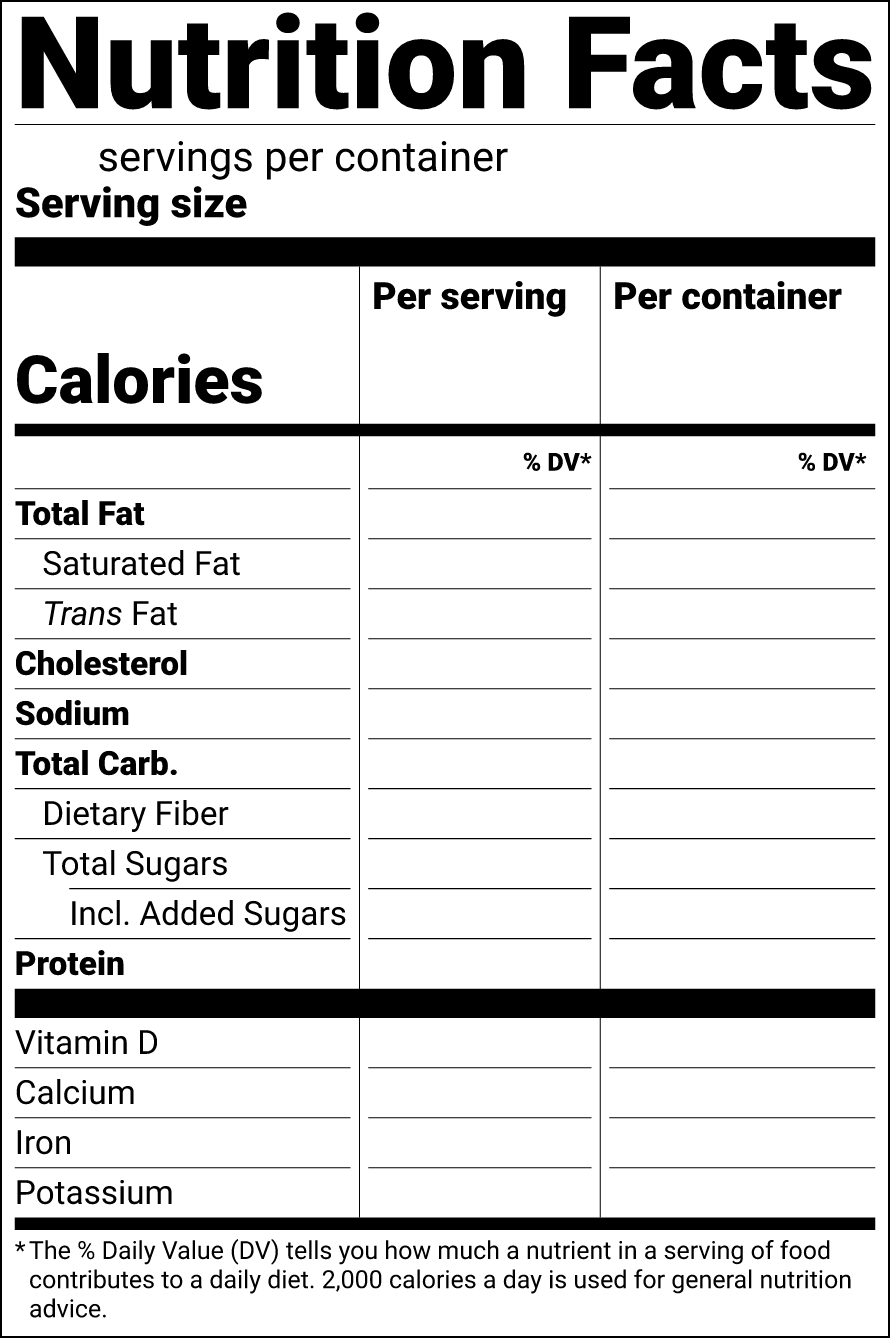
Nutrition Facts, dual column
75.4 × 113.3 mm 2.97 × 4.46 in
Per serving and per container side by side: required for most packages that hold 2 to 3 times the reference amount (RACC), optional for larger ones.
PDF of the blank Nutrition Facts, dual column template, 11 KB SVG of the blank Nutrition Facts, dual column template, 215 KB PNG of the blank Nutrition Facts, dual column template, 300 dpi, 117 KBFill it in online: open the Nutrition Facts, dual column format in the maker
-
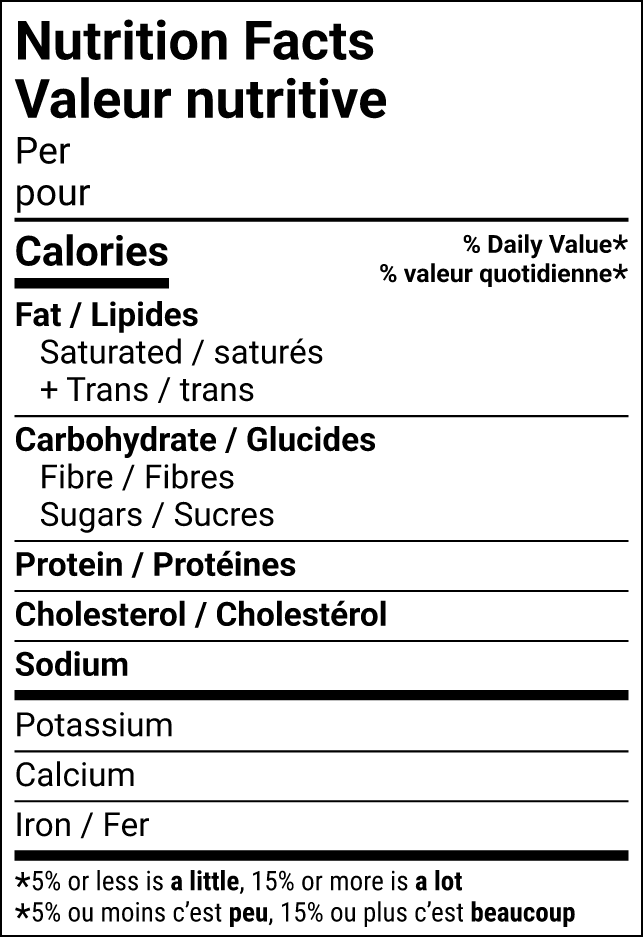
Canada (English and French)
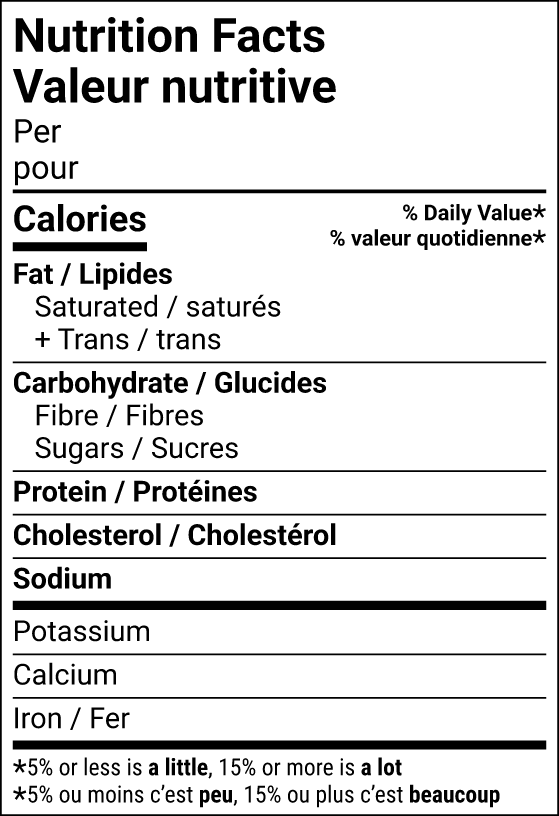
Nutrition Facts table, bilingual standard
54.4 × 79.4 mm 2.14 × 3.12 in
The standard bilingual Nutrition Facts / Valeur nutritive table (figure 3.1), always allowed.
PDF of the blank Nutrition Facts table, bilingual standard template, 13 KB SVG of the blank Nutrition Facts table, bilingual standard template, 185 KB PNG of the blank Nutrition Facts table, bilingual standard template, 300 dpi, 80 KBFill it in online: open the Nutrition Facts table, bilingual standard format in the maker -
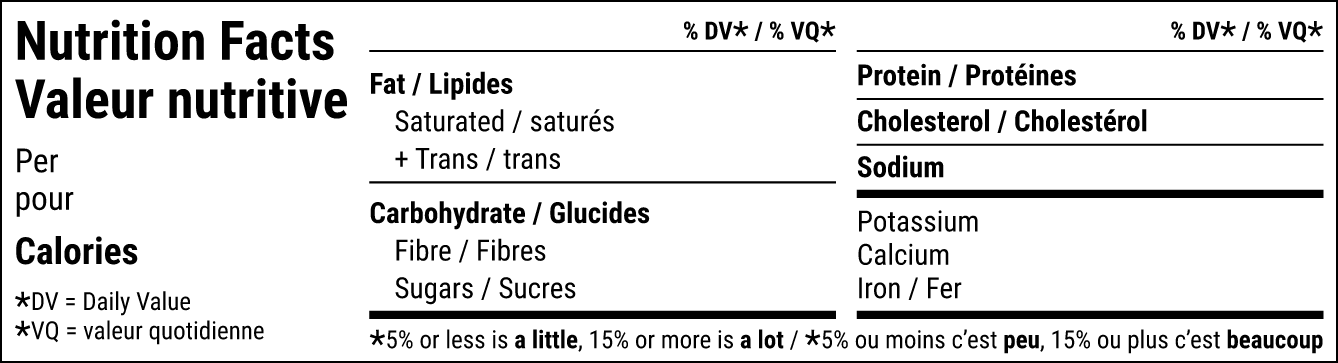
Canada (English and French)
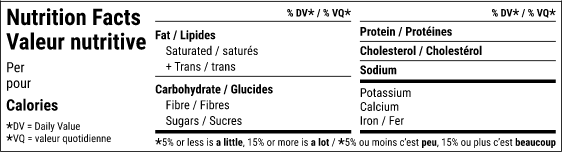
Nutrition Facts table, bilingual horizontal
113.3 × 30.7 mm 4.46 × 1.21 in
The horizontal bilingual table (figure 4.1), only when no standard version fits on 15% of the pack’s available display surface.
PDF of the blank Nutrition Facts table, bilingual horizontal template, 10 KB SVG of the blank Nutrition Facts table, bilingual horizontal template, 193 KB PNG of the blank Nutrition Facts table, bilingual horizontal template, 300 dpi, 71 KBFill it in online: open the Nutrition Facts table, bilingual horizontal format in the maker
-
Great Britain
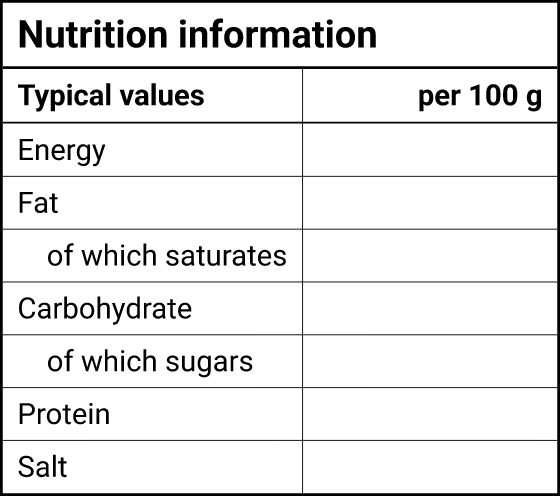
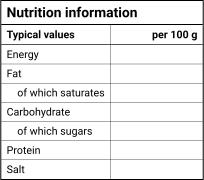
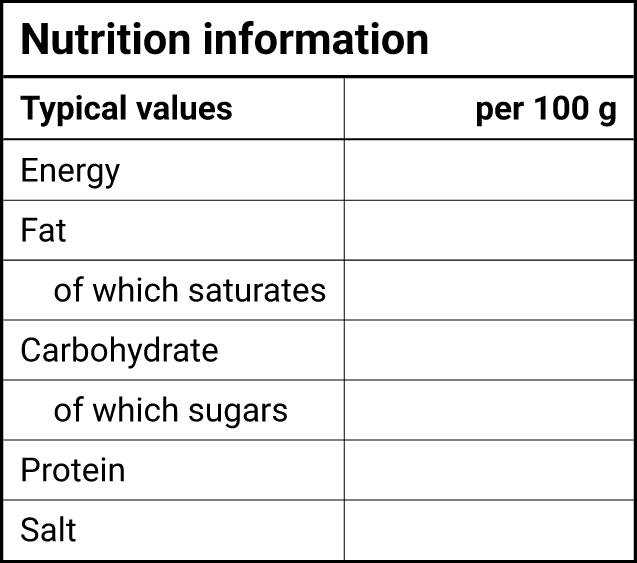
Nutrition information table (UK)
53.9 × 47.7 mm 2.12 × 1.88 in
The per 100 g table with energy in kJ and kcal and salt, in the mandatory order. The seven mandatory rows.
PDF of the blank Nutrition information table (UK) template, 7 KB SVG of the blank Nutrition information table (UK) template, 59 KB PNG of the blank Nutrition information table (UK) template, 300 dpi, 36 KBFill it in online: open the Nutrition information table (UK) format in the maker -
European Union: Ireland and Malta (English)
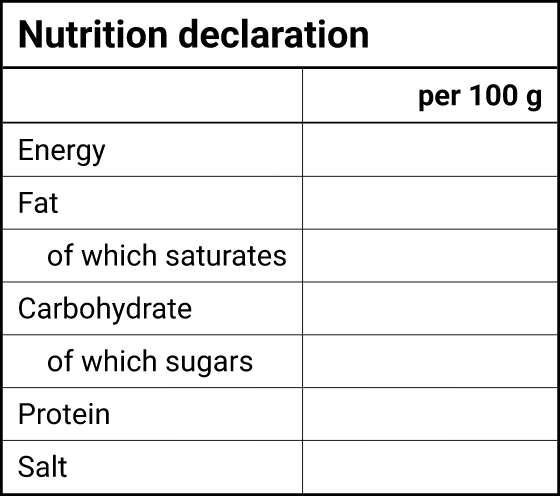
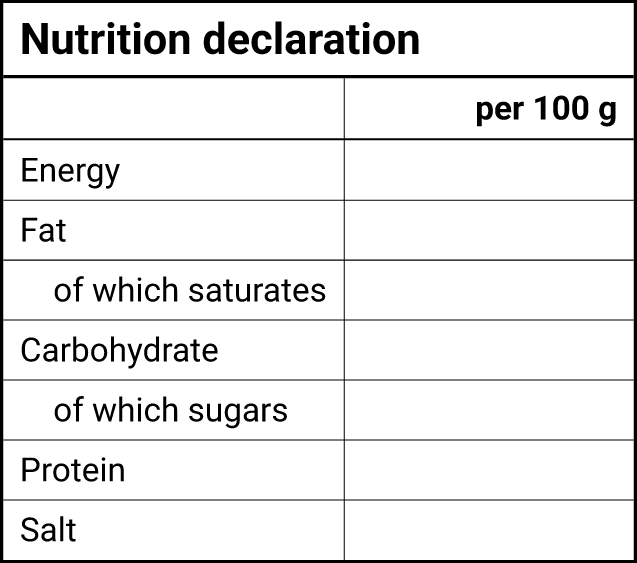
Nutrition declaration (EU, English)
53.9 × 47.7 mm 2.12 × 1.88 in
The EU per 100 g table in English, for member states where English is an official language. The seven mandatory rows.
PDF of the blank Nutrition declaration (EU, English) template, 7 KB SVG of the blank Nutrition declaration (EU, English) template, 53 KB PNG of the blank Nutrition declaration (EU, English) template, 300 dpi, 33 KBFill it in online: open the Nutrition declaration (EU, English) format in the maker -
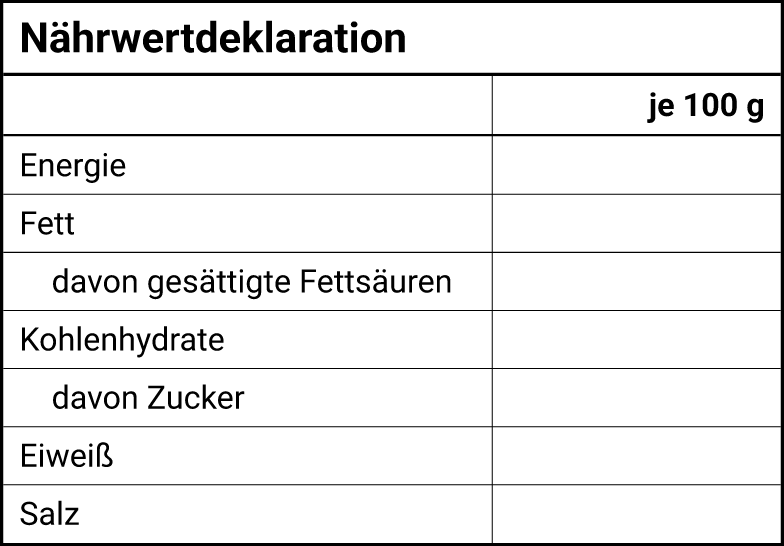
European Union: Germany (German)
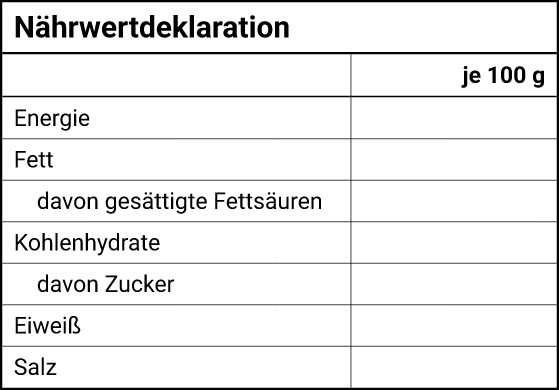
Nährwertdeklaration (EU, German)
66.4 × 46.3 mm 2.61 × 1.82 in
The same table in German (je 100 g), as sold in Germany. The seven mandatory rows.
PDF of the blank Nährwertdeklaration (EU, German) template, 7 KB SVG of the blank Nährwertdeklaration (EU, German) template, 56 KB PNG of the blank Nährwertdeklaration (EU, German) template, 300 dpi, 35 KBFill it in online: open the Nährwertdeklaration (EU, German) format in the maker -
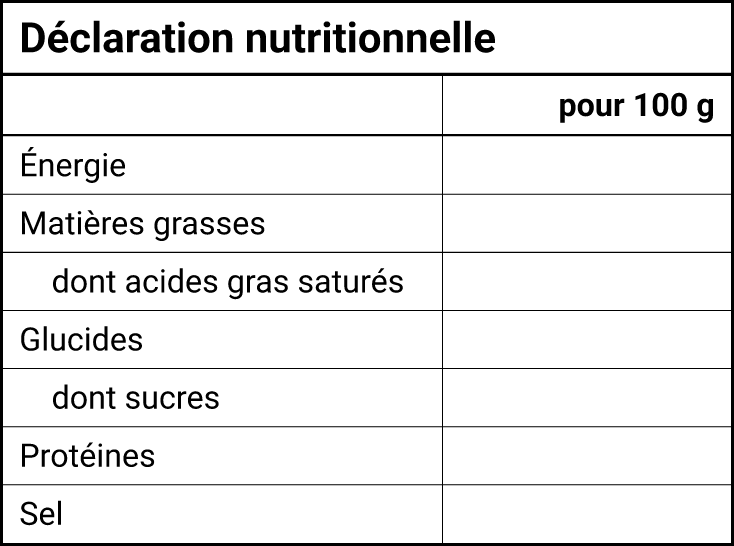
European Union: France (French)
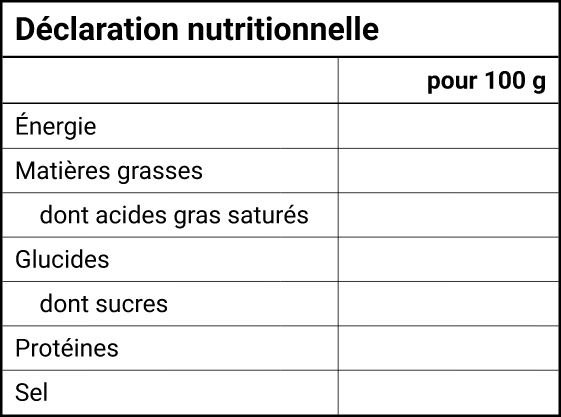
Déclaration nutritionnelle (EU, French)
62.2 × 46.3 mm 2.45 × 1.82 in
The same table in French (pour 100 g), as sold in France. The seven mandatory rows.
PDF of the blank Déclaration nutritionnelle (EU, French) template, 7 KB SVG of the blank Déclaration nutritionnelle (EU, French) template, 68 KB PNG of the blank Déclaration nutritionnelle (EU, French) template, 300 dpi, 37 KBFill it in online: open the Déclaration nutritionnelle (EU, French) format in the maker
-
Australia and New Zealand
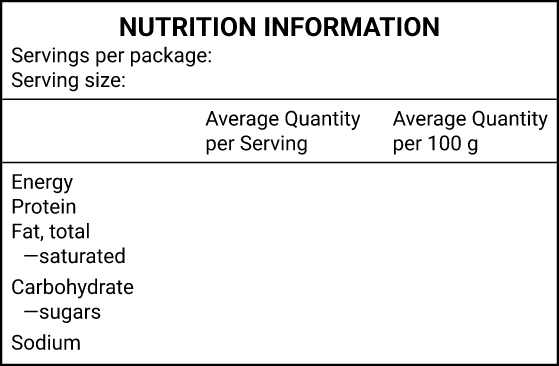
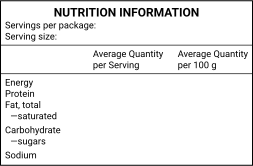
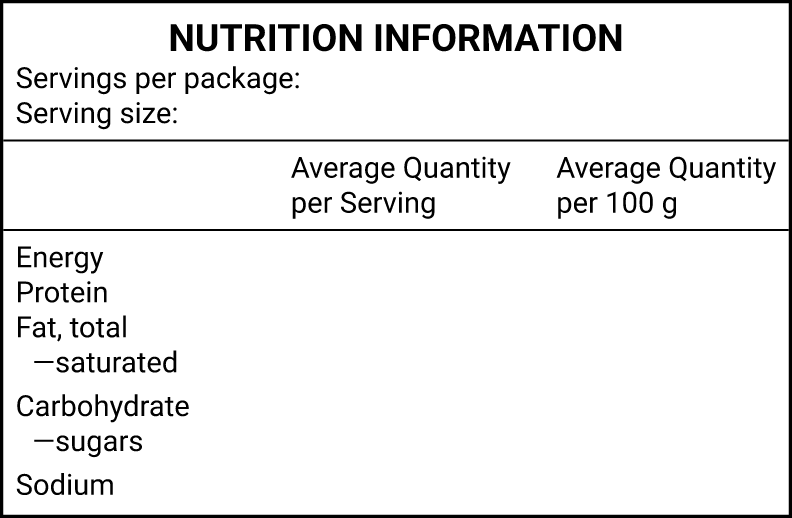
Nutrition Information Panel (NIP)
67.0 × 43.9 mm 2.64 × 1.73 in
The standard NIP from Schedule 12: per serving and per 100 g columns, servings per package and serving size.
PDF of the blank Nutrition Information Panel (NIP) template, 7 KB SVG of the blank Nutrition Information Panel (NIP) template, 89 KB PNG of the blank Nutrition Information Panel (NIP) template, 300 dpi, 41 KBFill it in online: open the Nutrition Information Panel (NIP) format in the maker
-
Real formats
Drawn by the same engine as the maker: every row name, rule and footnote of the format, nothing hand-drawn.
-
Exact physical size
Each PDF is the panel’s real size. Print at 100% and it measures what the card says.
-
No accountFree
Blank templates download straight away as PDF, SVG or PNG.
-
Or fill it in online
Open the same format in the maker: it rounds the values and works out the % Daily Values for you.
Templates by market and format
10 blank templates for six markets. Each one is the format exactly as the maker draws it, with the amounts, percentages and serving details left empty. Sizes are the physical size of the PDF.
On a phone, pick a market in the gallery at the top: every template is there with its downloads.
Which format do you need? Start with the standard one for your market. The others are for packages where it doesn’t fit:
- United States: the tabular format only when the package doesn’t have about 3 in (76 mm) of height for the panel; dual column for most packages that hold 2 to 3 times the reference amount, or optionally for larger ones.
- Canada: the horizontal table only when no standard bilingual version fits on 15% of the package’s available display surface.
- UK and EU: the table whenever it fits. Use the language of the country you sell in; the EU templates here are in English, German and French.
- Australia and New Zealand: one panel format for both countries, with per serving and per 100 g columns.
The maker checks which formats your package allows when you give it the space you have. The other formats it draws (US linear and simplified, the smaller Canadian versions, the UK and EU linear format) are in the maker only, because whether you may use them depends on your package.
Blank template or the maker?
A blank template is a drawing. It doesn’t know your numbers, so every rule that turns them into the printed values is up to you. That is the part people get wrong most often.
| What you need | Blank template | The maker |
|---|---|---|
| Calculation per serving and per 100 g | You | Done for you |
| Each market’s rounding rules | You | Applied once, at the end |
| % Daily Value, %RI or %DI | You | Worked out from the rounded values |
| Serving size from the reference amount | You | Suggested from your food category |
| Which format your pack allows | You | Checked against your pack size |
| Ingredient list and allergen text | Not included | Written per market |
| Readiness check | None | Needs values, Needs review or Ready |
| Account | None | Free account to download |
Templates don’t check anything
How to fill in a blank Nutrition Facts template
These steps are for the US template. The values in the examples are our sample granola’s, as the maker works them out (1 cup, 60 g).
- Choose the serving size. It comes from the FDA’s reference amount for your kind of food (21 CFR 101.12). For granola the reference
amount is 60 g, so the label reads
Serving size 1 cup (60g)
, with the household measure closest to it. - Count the servings. Divide the net weight by the serving. Our granola prints
about 6 servings per container
. - Work out each nutrient per serving from lab results, supplier data or a recipe calculation, and keep the unrounded numbers.
- Round each one with its own rule. Calories 286.9 print as 290. Total fat 12.88 g prints as 13g. Sodium 88.08 mg prints as 90mg. Added sugars 10.72 g print as 11g. Each nutrient has its own increments: see the rounding rules.
- Work out the % Daily Value. Divide the amount by the nutrient’s Daily Value. The FDA lets you use the declared (rounded) amount or the unrounded one, as long as you use one basis throughout; the maker uses the declared amount. Total fat: 13 g ÷ 78 g × 100 = 16.7 → 17%. Sodium: 90 mg ÷ 2,300 mg × 100 = 3.9 → 4%. Vitamins and minerals round their %DV in steps of 2, 5 or 10%. Trans fat and total sugars have no %DV. A protein %DV is optional for most foods (needed with a protein claim) and must use a protein quality score (PDCAAS), so the maker prints protein in grams only.
- Check the footnote and the type sizes, then print at 100% and measure the panel.
Every one of those steps is where a hand-filled template goes wrong: a nutrient rounded with another nutrient’s rule, a %DV taken from the unrounded value, or a serving that doesn’t match the reference amount. The maker does them in the same order every time and shows which source and rule each number came from. To fill in a US panel properly, fill in a US Nutrition Facts label in the maker.
Sizes and fonts
Every template is drawn in Roboto (SIL Open Font License) at the type sizes of its format. The smallest type is measured from the drawing itself:
| Template | Width × height | Smallest type |
|---|---|---|
| Nutrition Facts, standard vertical | 58.0 × 108.8 mm | 6 pt (x-height 1.12 mm) |
| Nutrition Facts, tabular | 166.7 × 41.9 mm | 6.5 pt (x-height 1.20 mm) |
| Nutrition Facts, dual column | 75.4 × 113.3 mm | 6 pt (x-height 1.12 mm) |
| Nutrition Facts table, bilingual standard | 54.4 × 79.4 mm | 6 pt (x-height 1.12 mm) |
| Nutrition Facts table, bilingual horizontal | 113.3 × 30.7 mm | 6 pt (x-height 1.12 mm) |
| Nutrition information table (UK) | 53.9 × 47.7 mm | 8 pt (x-height 1.49 mm) |
| Nutrition declaration (EU, English) | 53.9 × 47.7 mm | 8 pt (x-height 1.49 mm) |
| Nährwertdeklaration (EU, German) | 66.4 × 46.3 mm | 7.8 pt (x-height 1.44 mm) |
| Déclaration nutritionnelle (EU, French) | 62.2 × 46.3 mm | 7.8 pt (x-height 1.44 mm) |
| Nutrition Information Panel (NIP) | 67.0 × 43.9 mm | 7 pt (x-height 1.30 mm) |
Don’t scale a template down to fit your pack: the type would fall below the minimum. Make room, choose a format your pack allows, or let the maker fit the panel to the space you have. The rules per market are in our guide to Nutrition Facts font and sizes.
File formats: PDF, SVG and PNG
- PDF is the template at its exact size with the font embedded. Print it at 100% (“Actual size”) to check the size, fill it in by hand, or place it in your packaging artwork.
- SVG is vector artwork with the text turned into outlines, so it looks the same in every app. It opens in Adobe Illustrator, Affinity Designer, Inkscape and many online editors; add your values as new text.
- PNG is a 300 dpi image for documents, mock-ups and previews. For print, the PDF or SVG stays sharp at any size.
There are no Word, Excel or Canva versions: those apps don’t keep the exact rules and type sizes a nutrition panel needs. If you work in one of them, fill the template in online and download the finished label as a PNG or PDF.
Using the templates
The templates are free to use on your own products and on products you design or print for clients, with no credit needed. Please don’t sell or share them as templates. The details are in our terms.
The formats are built from the published rules and are not reviewed or approved by any regulator. Check your label before printing.